
Download Qiqqa – Free Research Manager, PDF Annotator & Bibliography Tool
Qiqqa is a free, all‑in‑one research and reference manager built especially for academics, students, and corporate researchers. Instead of scattering PDFs, notes, and citations across multiple folders and desktop shortcuts, Qiqqa consolidates everything into a secure, searchable library. The platform offers powerful PDF annotation, automatic tagging, intelligent categorisation, and a one‑click bibliography generator that supports major citation styles. By analysing the content you upload, Qiqqa even suggests related literature, helping you stay ahead of the research curve. Whether you are drafting a dissertation, preparing a market‑research report, or curating a literature review, Qiqqa streamlines the workflow from collection to citation, freeing you from tedious manual organisation and letting you focus on analysis and writing.Key Features That Make Qiqqa a Must‑Have Research Companion
- Secure PDF Library: All uploaded documents are stored in an encrypted cloud vault, accessible from any device while keeping your research private.
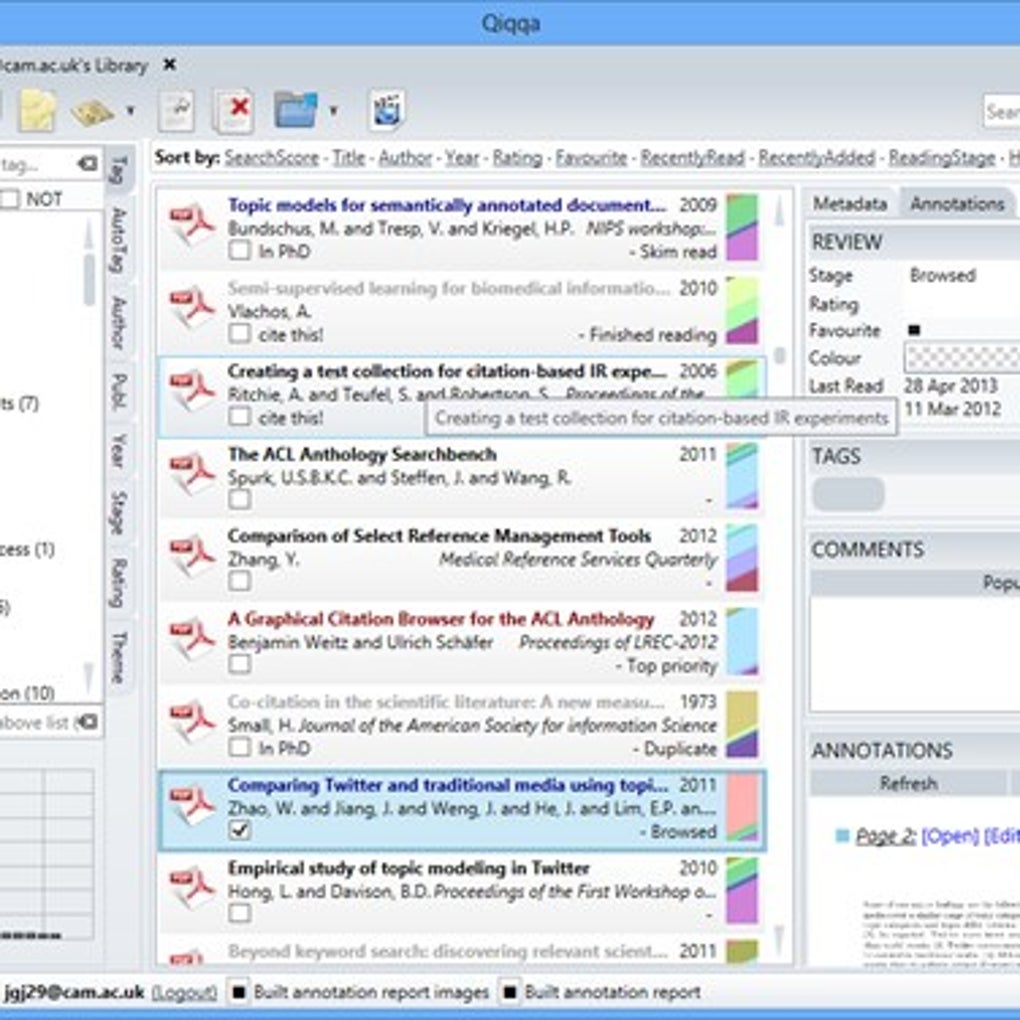
- Smart Tagging & Categorisation: Automatic extraction of keywords, authors, and citation data lets you tag papers instantly and organise them into custom collections.
- Full‑Text Search: Search by keyword, citation, or author across the entire library; the engine indexes the full text of PDFs for rapid retrieval.
- One‑Click Bibliography Builder: Generate a formatted bibliography in APA, MLA, Chicago, Harvard, or any custom style with a single click, then export to Word, LaTeX, or plain text.
- Research Recommendations: Qiqqa analyses your categories and suggests next‑step readings, helping you discover gaps and complementary sources.
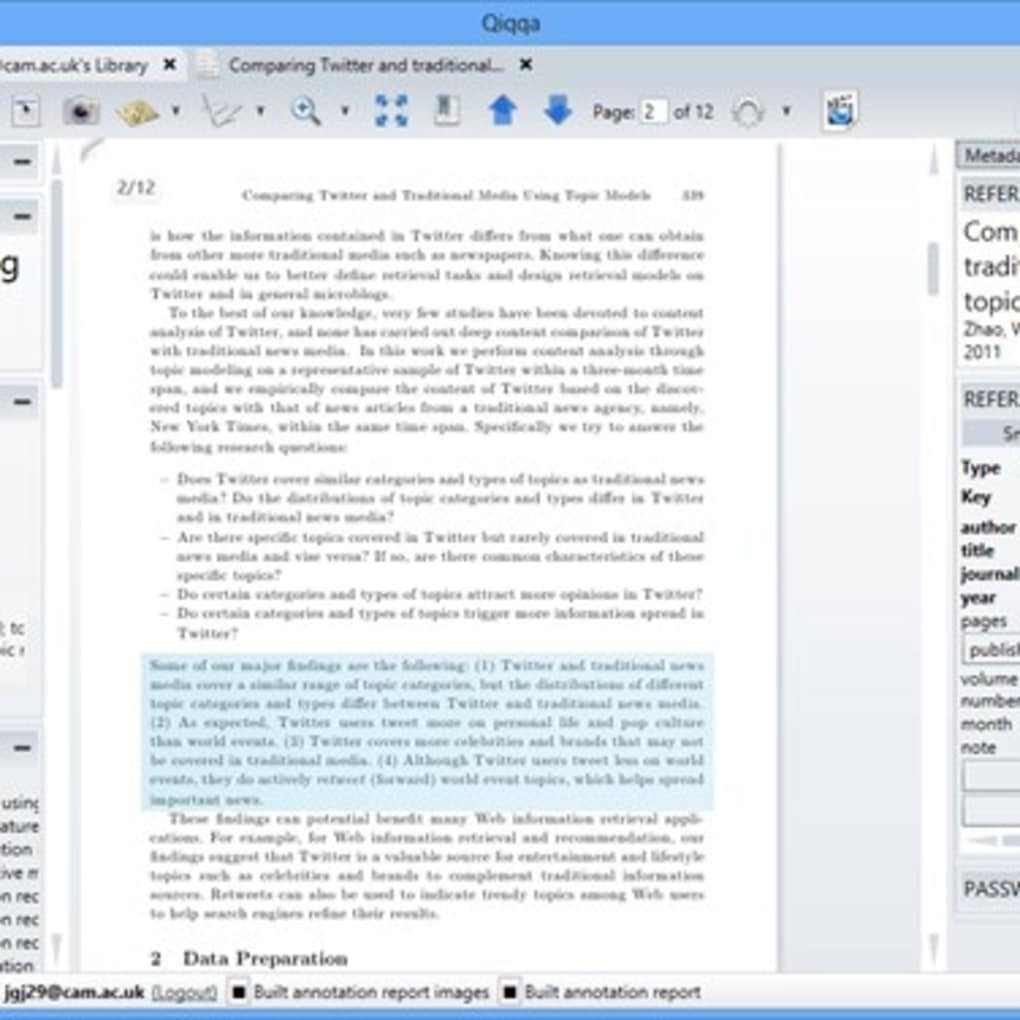
- Annotation Toolbox: Highlight, underline, add sticky notes, and draw shapes directly on PDFs; all annotations are saved in the cloud and sync across devices.
- Collaboration Features: Share collections or individual papers with team members, set permissions, and comment on shared documents.
- Cross‑Platform Sync: Windows, macOS, Android, and iOS clients keep your library up‑to‑date wherever you work.
Installation, Setup, and Cross‑Platform Compatibility
Getting started with Qiqqa is straightforward. Visit the official website, click the “Download” button for your operating system, and run the installer. On Windows, the .exe file guides you through a standard installation wizard; macOS users download a .dmg package and drag the Qiqqa icon into the Applications folder. Mobile users can find Qiqqa in the Google Play Store or Apple App Store, where the app installs with a single tap.
After installation, launch Qiqqa and create a free account using an email address or single‑sign‑on with Google or Microsoft. The first‑time setup wizard asks you to import existing PDFs—simply drag‑and‑drop files into the main window or point the app to a folder on your hard drive. Qiqqa then automatically indexes each document, extracts metadata, and builds the initial tag set.
From a usage standpoint, the interface is divided into three main panes: a library view on the left, a document preview in the centre, and a detail/annotation panel on the right. To annotate, select a PDF, click the “Annotate” button, and use the toolbar to highlight text, add comments, or draw shapes. All changes sync instantly to the cloud, so switching from a desktop to a tablet preserves your work.
Qiqqa supports the following operating systems, as indicated by the Windows 10/11, macOS 10.14 or later, Android 6.0+, iOS 13+. The cloud sync works over HTTPS, ensuring that your research remains encrypted during transfer and at rest. Regular automatic updates keep the app current with the latest citation styles and security patches, and a manual “Check for Updates” option is available in the Settings menu.
Pros, Cons, FAQ, and Final Verdict
Pros
- Completely free with no hidden subscription fees.
- Robust PDF annotation and cloud‑based storage.
- One‑click bibliography generation supports all major citation styles.
- Intelligent tagging and recommendation engine accelerates literature discovery.
- Cross‑platform availability ensures seamless workflow across desktop and mobile.
Cons
- Advanced collaboration features are limited compared to paid reference managers.
- Interface can feel cluttered for first‑time users unfamiliar with research software.
- Occasional sync delays when handling very large PDF libraries.
- No built‑in PDF creation or conversion tools.
Frequently Asked Questions
Is Qiqqa really free or are there hidden costs?
Qiqqa is 100 % free for personal and academic use. All core features—including PDF storage, annotation, tagging, and bibliography generation—are available without a subscription. There is a premium tier for enterprises that adds advanced team‑management tools, but the free version is fully functional for individual researchers.
Can I import references from other tools like EndNote or Zotero?
Yes. Qiqqa supports RIS, BibTeX, and EndNote XML imports. You can export your library from the other manager and import the file via the “Import” menu. Qiqqa will map the fields automatically and add the entries to your collection.
How secure is my data stored in the Qiqqa cloud?
All data is encrypted both in transit (TLS 1.2) and at rest (AES‑256). Qiqqa adheres to GDPR guidelines, and you can enable two‑factor authentication for added protection. The company also offers a self‑hosted option for institutions that require on‑premise storage.
Does Qiqqa work offline?
Yes. After you have synced your library, you can open and annotate PDFs without an internet connection. Changes are queued locally and automatically uploaded the next time you reconnect.
Which citation styles are supported by the bibliography generator?
Qiqqa includes over 10,000 built‑in styles covering APA, MLA, Chicago, Harvard, Vancouver, IEEE, and many journal‑specific formats. Users can also import custom CSL files for niche or institution‑specific requirements.
Conclusion – Should You Download Qiqqa?
For anyone who spends more time hunting for articles than analysing them, Qiqqa offers a compelling blend of free features, powerful annotation tools, and intelligent bibliography creation. Its cloud‑first design eliminates the chaos of scattered PDFs, while the recommendation engine nudges you toward the most relevant literature. Although the UI may need a brief learning curve and the collaboration suite is not as extensive as premium competitors, the overall value—especially at zero cost—makes Qiqqa an excellent choice for students, independent scholars, and small research teams. Click the download button below, create a free account, and let Qiqqa organise your research so you can focus on discovery.



.png)



